
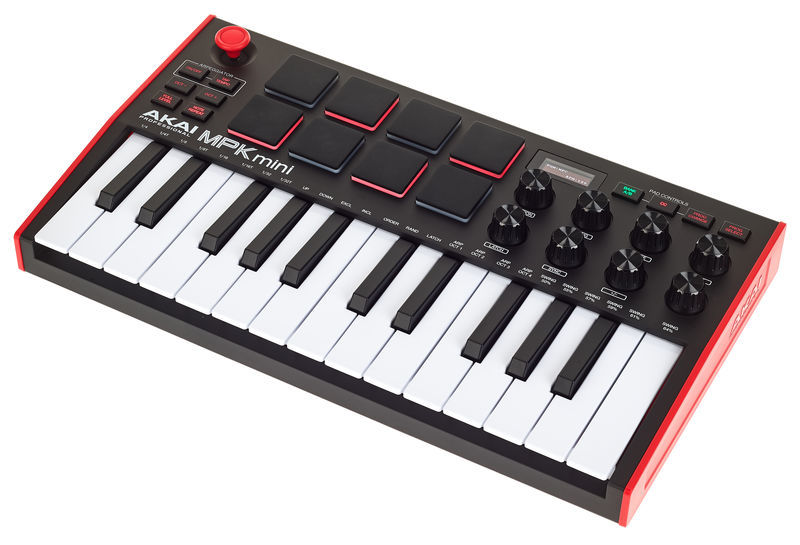
Akai MPK mini MK3 🎹
- thomann - 2021 - 95€
see also
# Midi Events ⮺
$ aseqdump -l               # list connected device
$ aseqdump -p "MPK mini 3" # read midi event- Pads are controller 16 to 23 (bank A) / 24 to 31 (bank B)
- knob are controller 70 to 77
- program change ? (control avec pad)
- The System Exclusive messages (SysEx) that are exchanged between the device and its settings editor software (which of course is only available for Windows and mac OS) are not documented
# Setup
There is a GTK UI that allows to configure the Akai MPK mini III MIDI keyboard. It currently allows for reading the programs settings, changing them and writing back to the device and reading and writing the settings to a file.
- MPK3 Settings - it allows to edit current program loaded in MPK3 (and edit program names?)
Program is a name given to a full configuration (BankA/B+knob)
# Pads
Bank A/B allows to quickly change pad configuration inside one program.
Notes: pad support velocity and aftertouch.
On the Akai MPK Mini Mk3, each pad can send different types of MIDI messages. The important ones are:
MIDI Channel — tells the receiving software which MIDI channel the message uses. It can be differents from the keyboards (eg 10: for pad, 1 for keyboard)
Note — sends a MIDI note number. This is what you normally want for drums. For example, MIDI note 36 = kick, 38 = snare, 42 = closed hi-hat in the common General MIDI drum mapping.
CC (Control Change) — sends a controller number rather than a note. CC messages are used for things like volume, modulation, filter cutoff, knobs, etc. You normally don’t want CC for a drum pad in Hydrogen.
PC (Program Change) — tells the software to change to another preset/program. You normally don’t want this for triggering individual drums.
# Toubleshooting
- How to Sync the AKAI MPK mini Arpeggiator to DAW TEMPO / Sync MPK Mini arpeggiator to external tempo
# Velocity
- How to adjust AKAI MPK MIDI velocity on the keyboard itself / increase key sensitivity / any DAW - press Full level for 5 seconds, then adjust parameters with knobs K1 to K4. They all take a value ranging from 1.0 to 40.0, with the constraint that they must have decreasing values from v1 to v4
- If you want to reset them to their default values:
- v1: 24.0 / v3: 04.0
- v2: 06.0 / v4: 02.4
- Black bal: 0.7 - A value of 1.0 means the black keys will respond to pressure exactly as the white keys. A value of 0.5 means the black keys will be half as sensitive as the white keys.
- If you want to reset them to their default values:

more details in Workarounds for velocity issues on a AKAI MPK mini3