
Material Flow / Extrusion ratio (Calibration)
- tuning your extruder steps/mm value - this mechanical part can use recommanded value
- tuning your extrusion multiplier - this is specific to each filament
see also
# Tuning your extruder steps/mm value
When the g_code require a certain amount of filament, this allow to get the right length of filament.
Instruction to calibrate this:
- setup factory parameter for extruder (eg orbiter)
- take a light color filament that can be marked
- insert filament in extruder directly (not within bowden)
- make sure flows go through
- make a mark at 70mm above the extruder entry
- extrude 50mm
- measure what’s left above the extruder entry (it should be 20mm)
- if there is a difference of more than 1mm - use formula to adjust parameters
Next calculate flow per filament (Tuning your extrusion multiplier section).
# How do you determine your printer’s max volumetric speed?
- Speed & Max Flow Tuning (gcode) - from teaching Tech
- Determining Maximum Volumetric Flow Rate
- Cura :page_facing_up: has not yet added this feature - Set Max Flow in your slicer.
- Move exceeds maximum extrusion (klipper) - safety feature of Klipper
Ender 3 Ender 6 default extruder + CHT nozzle 0.6 max is aboug 12mm³/sec which correspond to 0.6 nozzle, 04 layer height and xx mm/sec
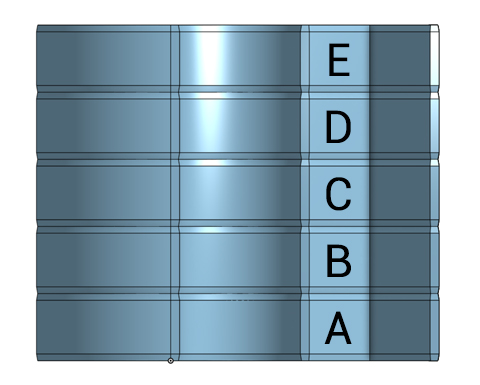
# Tuning your extrusion multiplier
Using Orca Slicer
This is also available in Cura plugin Calibration shape - multi flow test
- choose a filament profile close to the filament you are using
- print the extrusion test
- look for the relative flow setting that looks the best (on the outer surface)
- apply formula to current flow.
A very simple and fast print test for configuring a 3d printer extrusion ratio.
see also the calculator
On Cura the extrusion ratio can be found in Material.flow.
- using Materials plugins the Material flow, can be stored be material config (as well as other parameters).
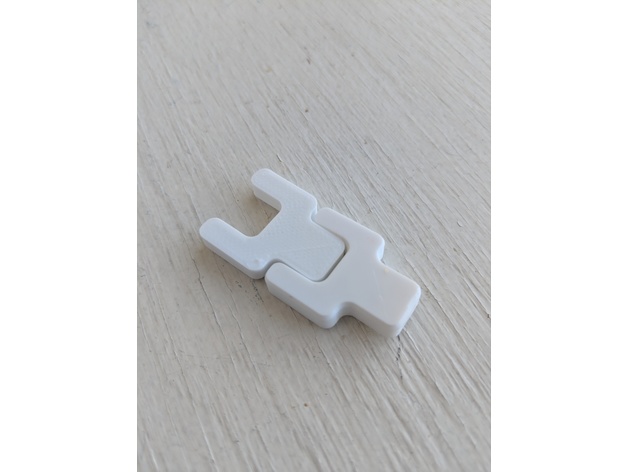
# Negative Space Test
Written on October 27, 2017, Last update on March 30, 2026
3dprint
calibration
cura