
Raspberry pi5 💭
inherited Pi 5 + Pironman 5
It acts as bastion 🏰
$ ssh -J bastion tronaut| Service | Manage |
|---|---|
| Watchdog 🐕🦺 | |
| Tailscale | 📡 |
| Hermes | 🔱 * |
| Forgejo | 🧬 ** |
| n8n | ⇢ |
| Telegram | topic mode |
| nginx | :80 |
| php | php |
| hello | |
| Nav | |
| cups | :631 |
| use yduf as knowledge base | read only copy |
* - require port forward: ssh -N -L 9119:127.0.0.1:9119 bastion
** - require port forward: ssh -N -L 3000:127.0.0.1:3000 bastion cf Client setup
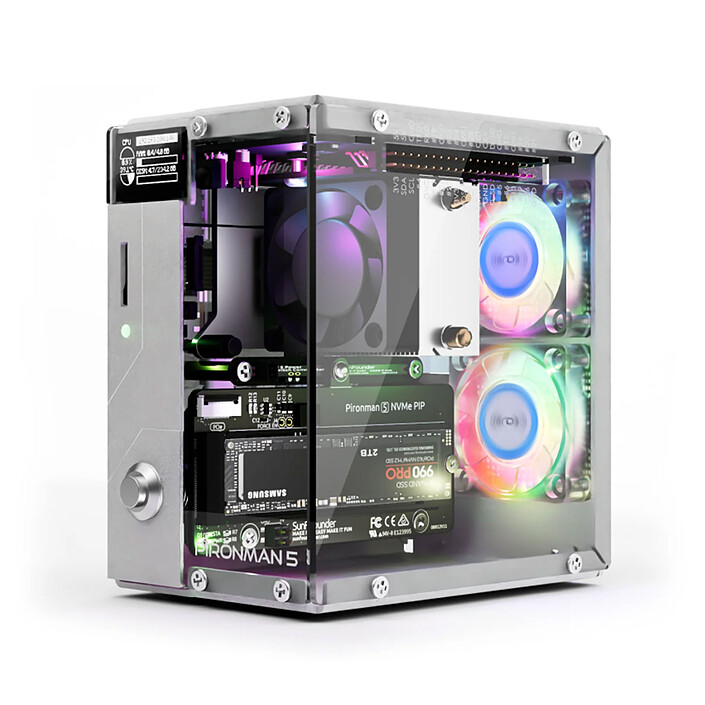
# project 💭 🚧
Use it to host a Hermes Agent accessible from anywhere
- - give it a static ip (secondary?) 🚧
- it boots on nvme drive - so secondary may be helpfull as fallback
# Notes
Appears as pi2/pi3 on nmap scan
MAC Address: 7E:AB:F1:0E:85:C3 (Unknown)
Nmap scan report for raspberrypi3.home (192.168.0.30)
# OS
Raspberry Pi OS (64-bit), Bookworm-based, on Raspberry Pi 5
$ systemctl get-default => graphical.target
$ hostnamectl
 Static hostname: raspberrypi
       Icon name: computer
      Machine ID: be0ce139b3e64d9d9c122eb460a1d040
         Boot ID: 7862ae885aac4468adfbf3d75c611f96
Operating System: Debian GNU/Linux 12 (bookworm)
          Kernel: Linux 6.6.62+rpt-rpi-2712
    Architecture: arm64
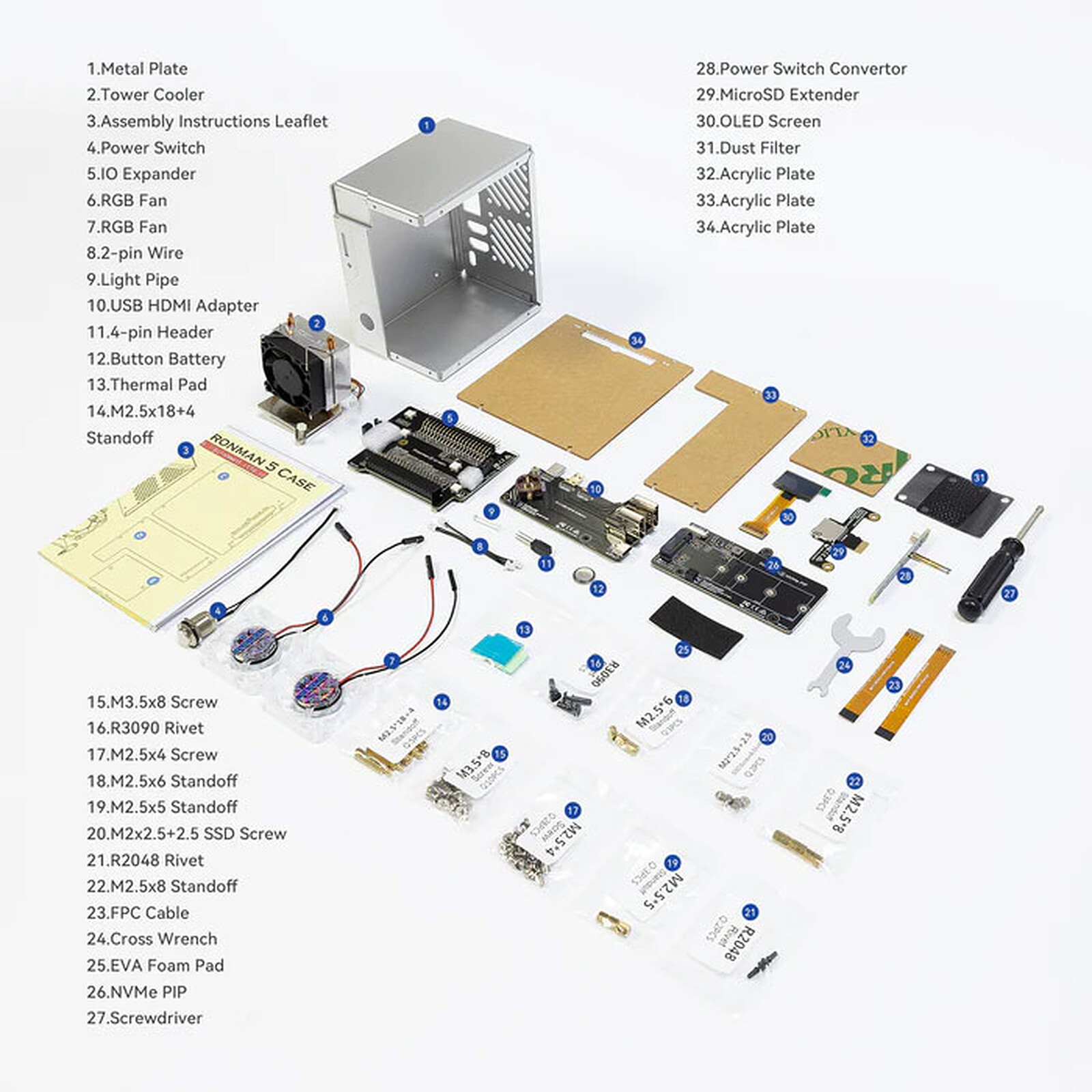
# Pironman 5 ⮺
When your case is more expensive than your computer
# Software ⮺
# OLED ⮺ 🖥️
Ecran OLED 0.96”
nappe 30 pin - visible coté écran
pin 1 en haut avec ecrant visible coté droit.
SH1106 / GME12864-44
eg 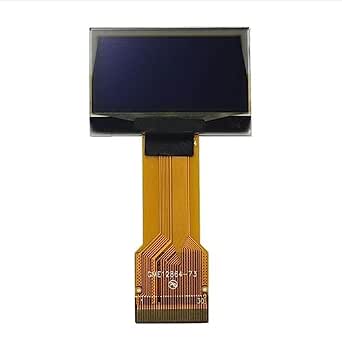
# Setup
Disable OLED Timeout
$ sudo pironman5 -os 0
$ sudo systemctl restart pironman5.service
Troubleshooting
# Troubleshooting OLED display ⮺
$ sudo i2cdetect -y 1
should output 3c somewhere (it does not)

$ ls /dev/i2c*
should list device => it does

$ sudo dmesg | grep -i i2c
[    0.987774] brcmstb-i2c 107d508200.i2c:  @97500hz registered in interrupt mode
[    1.013905] brcmstb-i2c 107d508280.i2c:  @97500hz registered in interrupt mode
[    2.869550] i2c_dev: i2c /dev entries driver
[   21.694662] i2c_designware 1f00074000.i2c: i2c_dw_handle_tx_abort: lost arbitration
[   21.705781] i2c_designware 1f00074000.i2c: i2c_dw_handle_tx_abort: SDA stuck at low
SDA stuck at low signifie que la ligne de données I²C est maintenue en permanence à l’état bas
Déconnection uniquement la nappe OLED du Pironman.
$ dmesg | grep -i i2c
[    0.970193] brcmstb-i2c 107d508200.i2c:  @97500hz registered in interrupt mode
[    0.970296] brcmstb-i2c 107d508280.i2c:  @97500hz registered in interrupt mode
[    3.076795] i2c_dev: i2c /dev entries driver
# Power Button ⮺ ⏻
Hold for 5 seconds → forced power off (not recommended except if the system is hung).
The behavior depends on your OS:
- Raspberry Pi OS Lite: single press → safe shutdown.
- Raspberry Pi OS Desktop:
- On standard Raspberry Pi OS, a short press typically brings up the shutdown dialog (or requires a second quick press, depending on the OS version).
- On current Pironman 5 software, hold for about 2 seconds → safe shutdown.
# Power off
When powered off - fan and led are kept alive. They shutdown then restart - one can think that the pi is on, but it’s not the case - only the hat is powered on.
This can be disabled by setting the firmware to POWER_OFF_ON_HALT=1
$ sudo rpi-eeprom-config -e # -e for edit
[all]
BOOT_UART=1
POWER_OFF_ON_HALT=1
BOOT_ORDER=0xf146
Then Ctrl+X + Y to save. The change is not visible until reboot, but it taken into account
Then once powered off, only a red led is visible (rather than a green one when the pi is powered).
# Power Consumption ⮺
| Scenario | Estimated total system power |
|---|---|
| Idle, headless (SSH/server only) | ~4–6 W |
| Idle with desktop + HDMI | ~5–7 W |
| Moderate workload (Home Assistant, Docker, light services) | ~6–9 W |
| Heavy CPU load + active NVMe activity | ~10–14 W |
| Stress case (CPU max + SSD writes + peripherals) | ~14–18 W |
# GPU ⮺
- pi 5 has unified memory
- yet GPU was designed for graphics and video not for matrix operation.
- you can expect 2–10 tokens/sec depending on model size and quantization if running LLM locally