
Zotero
Zotero is a free, easy-to-use tool to help you collect, organize, annotate, cite, and share research. - Home / HN
I highly recommend everyone to use Zotero. Their original marketing as being ‘for academics’ is entirely wrong and it is a first-in-class bookmark/knowledge manager. - HN
- There are many software recommendations that seem sort of hype-y: Obsidian, Notion, Keybase, etc. Zotero is not that and is a daily driver for me for years. It has also replaced Calibre for me although YMMV there.
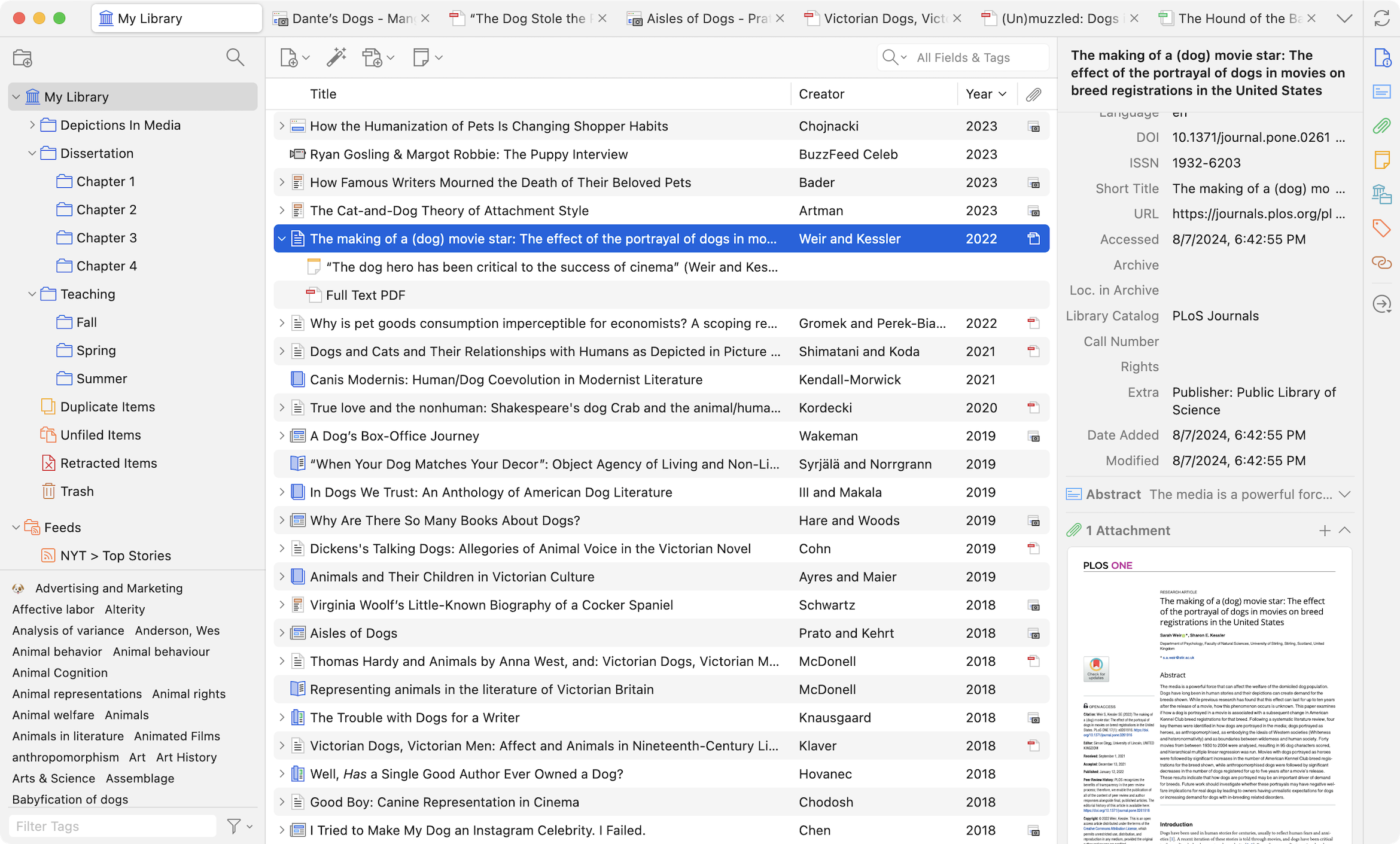
Library
- One Personal Library per Zotero account
- Multiple Group Libraries (the usual solution), can be:
- Private (just you)
- Shared (collaborators, labs, classes, projects)
This is the recommended way to manage multiple libraries (e.g., PhD project, Teaching, Personal reading).
or
- Multiple Zotero profiles (advanced workaround)
Collections ≠ libraries
- Collections are folders inside a single library.
- An item can appear in multiple collections without duplication.
Integration
- Firefox Connector - Save to Zotero from your browser
- Web Snapshots - Zotero can archive a webpage by creating a Snapshot—an offline file reflecting the state of the page at the time the snapshot was taken.
- Automate Zotero start
Adding Files to your Zotero Library
Files can be added to your Zotero library as either stored files or linked files.
- Stored files, which are the default, are stored within the Zotero data directory, and Zotero will automatically manage them, including deleting them if you delete the attachment item in Zotero.
- Linked Files Zotero only stores a link to the location of the original file on your computer. Linked files are not synced, nor are they deleted if the attachment item is deleted in Zotero.
- Web Snapshots - Zotero can archive a webpage by creating a Snapshot—an offline file reflecting the state of the page at the time the snapshot was taken.
Syncing
Storing the Zotero data directory directly in a cloud storage folder is extremely likely to corrupt your Zotero database and should not be done.
The best way to access your Zotero library from multiple computers is to use Zotero syncing.
Written on November 28, 2020, Last update on March 20, 2026
book
library
org